
Health Checks & Rollbacks
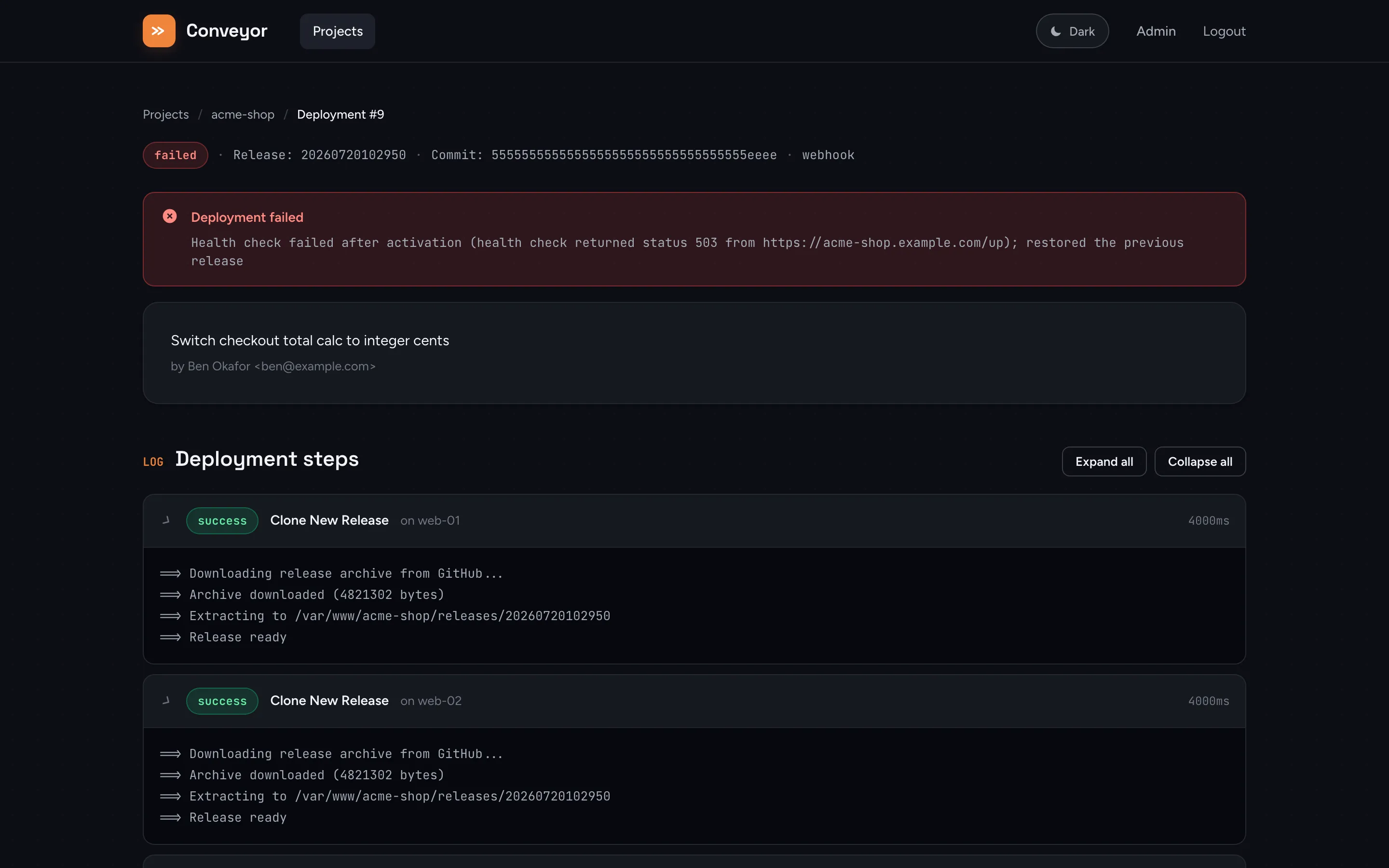
If a project has a Health Check URL configured, Conveyor gates every deployment on it after activation, and automatically rolls back to the previous release if it fails.
Configuring it
Section titled “Configuring it”On a project’s Settings page:
- Health Check URL: an absolute URL Conveyor will
GETafter activation, e.g.https://example.com/up. - Expected Response Text (optional): if set, the response body must contain this text for the check to pass. If left blank, only the HTTP status code is checked.
Leave the URL blank to skip health checks entirely. Activation is then the last step, and the deployment succeeds as soon as every server has swapped its symlink.
How the check runs
Section titled “How the check runs”The health check only runs after every server has completed the activate step. It:
- Waits 3 seconds after activation (a grace period for OPcache/PHP-FPM to pick up the new release before the first probe).
- Sends a
GETrequest to the health check URL, with a 10-second per-request timeout. - Passes if the response status is
2xx, and (if configured) the body contains the expected text. - Retries up to 3 attempts total, 5 seconds apart, if a probe fails.
A pass logs Health check passed and the deployment finishes as successful. The health-check phase has an overall 2-minute budget.
On failure
Section titled “On failure”If every attempt fails, Conveyor:
- Re-points every server’s
currentsymlink back to the release it served before activation (the same guarded mechanism used for manual rollbacks). - Marks the deployment
failed, with a message noting the health check failure and whether a previous release was restored. - Fires the
deploy failurenotification, if configured.
If this was the project’s very first deployment, there’s no previous release to restore to. The failure message notes this explicitly.
See How Deployments Work for the full six-phase flow this check gates.